
Devlog
How We Made Bunny Hop Feel at Home on TV
How the same game adapts its controls, character selection, and layouts for phones and TVs.
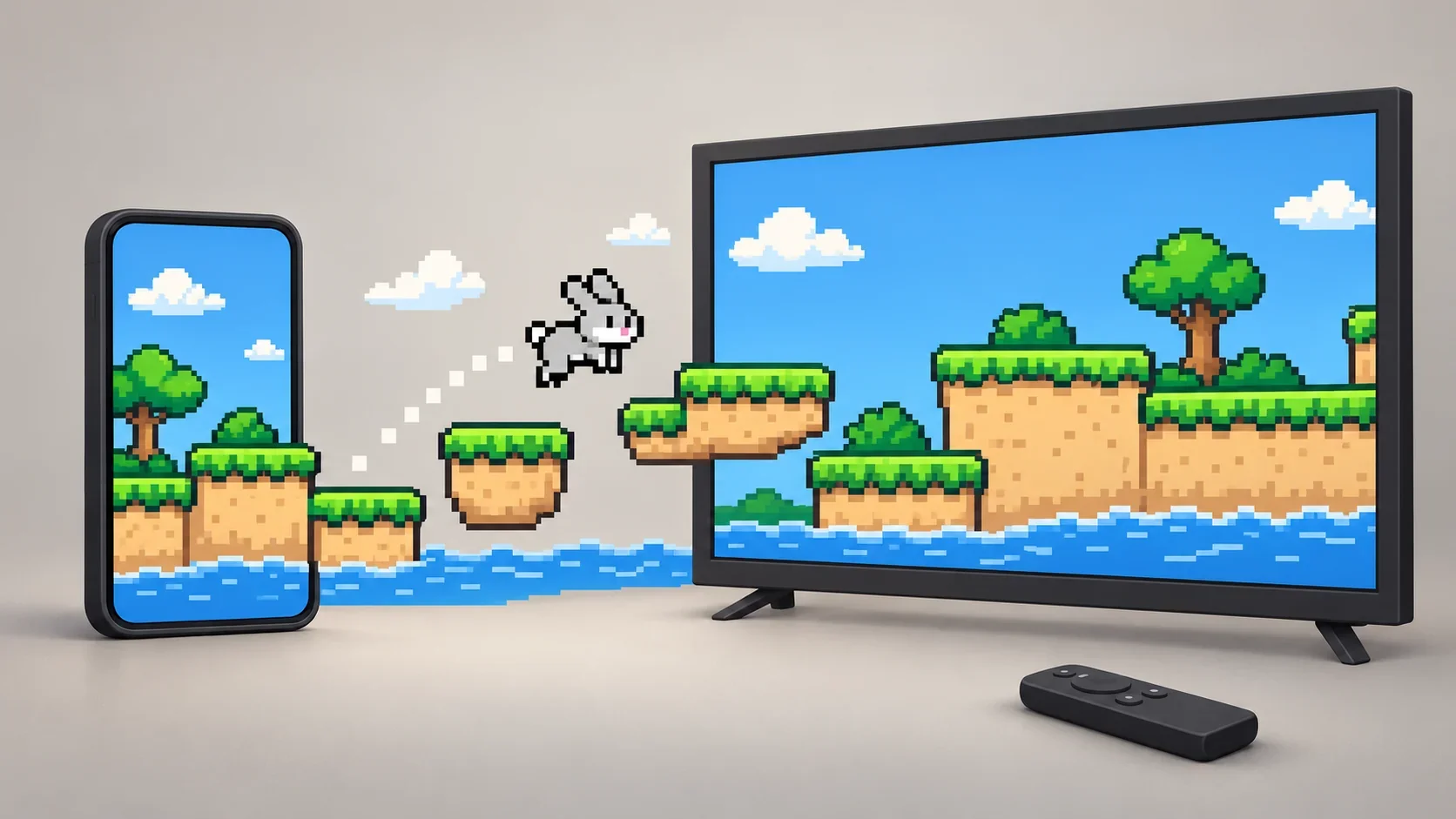
Hold, then let go. On a phone, that means a thumb on the glass. On a TV, a finger on the remote’s OK button. The bunny still has to make the jump.
Bunny Hop gets a lot of downloads on TVs. That makes the remote an important way people meet the game, alongside the phone it also needs to feel at home on. Both ask you to judge a gap, charge a jump, and release at the right moment. But getting to that jump is a different experience when you can point at anything on screen and when you have to move there one button press at a time.
The interesting design work lives in that difference. How do you give each player a comfortable way in without losing the game they came to play?
The jump travels well
A charge-and-release jump is a useful starting point. It needs duration, rather than a precise finger position. You can learn the rhythm with one hand on a phone or with a remote resting in your palm.
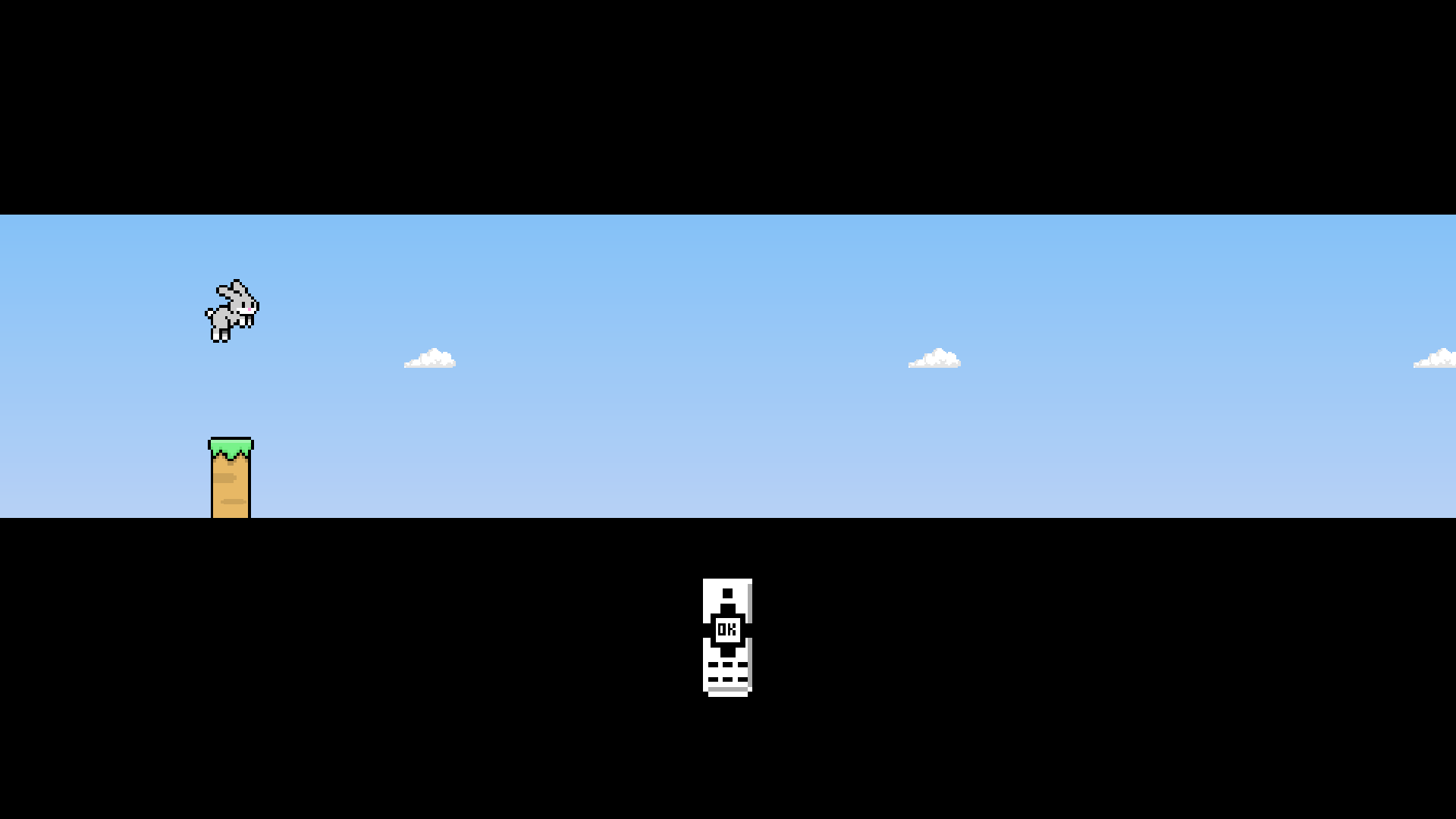
The input code translates the remote’s center button into the same basic sequence: press to start charging, release to jump. Holding a key must remain one continuous press. Repeated key events cannot become extra charges, and a release from another key cannot finish the jump you started.
That also changes how the game explains itself. The phone’s tutorial can show a touch gesture. The TV tutorial uses an animated remote: its OK key turns green during the charge, then returns to white on release. The player sees the action they can actually perform with the thing in their hand.
A thumb can point. A remote has to travel.
On a phone, a button can work even if the route to it is awkward. Your thumb skips the route. A remote makes that route part of the interface.
Every menu needs a starting point, a visible focused control, and a sensible answer to Up, Down, Left, Right, OK, and Back. A button that looks available but cannot be reached is a dead end. So is focus that disappears onto an empty slot on the last page of a character grid.
In Bunny Hop, focus stays attached to the control. The focused target grows slightly and keeps its full color; the other available controls become lightly desaturated. In the character roster, moving focus also updates the large character details. You can see where you are and what you are considering before committing to it.
The timing between screens matters too. Game Over initially focuses Retry, which creates a small trap: a press meant for the jump you just missed could start another run. Retry therefore requires a fresh press begun after a one-second grace period. Holding an earlier press past the deadline does not count. The same rule covers touch and controller input, because the mistake can happen with either.
Give the characters the room they need
Character selection makes the two approaches easiest to see.
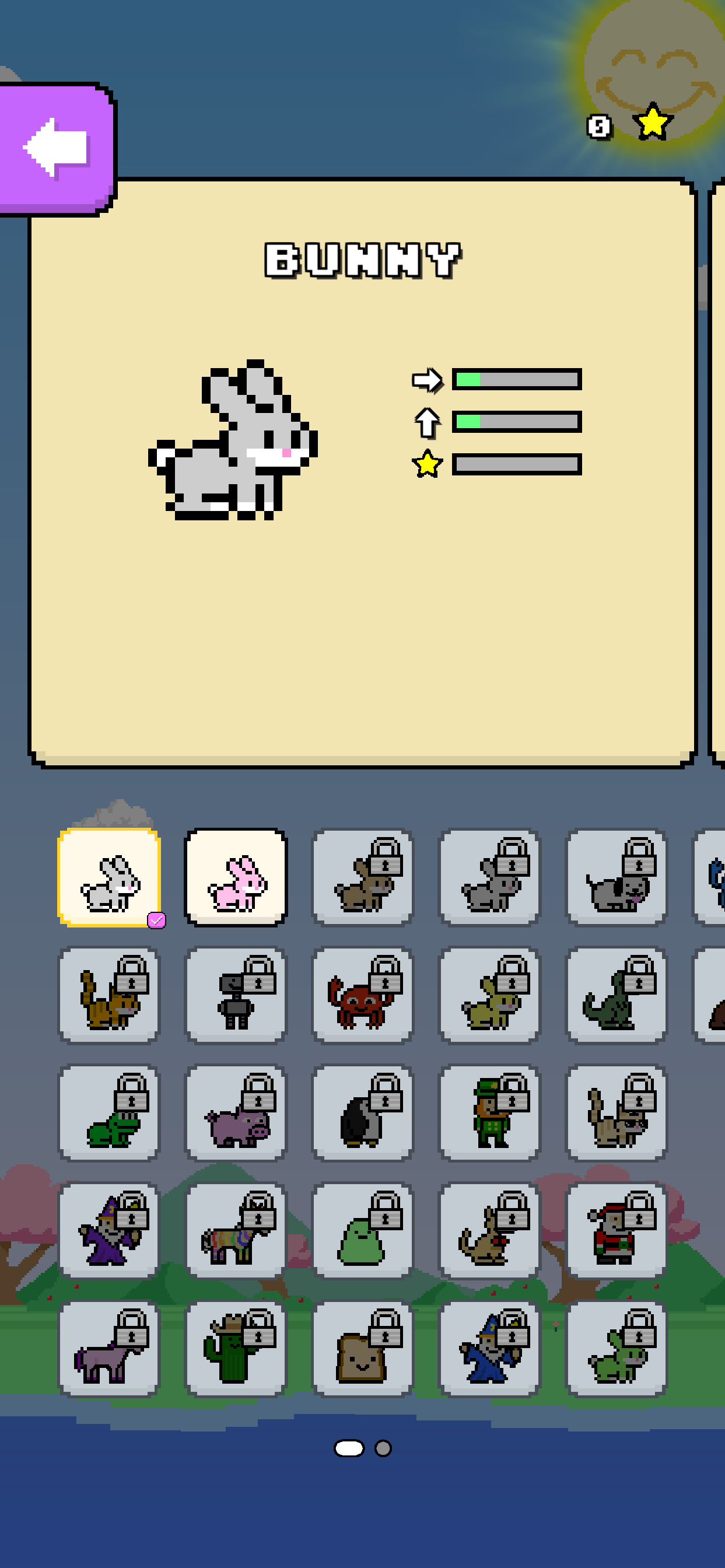
On a tall phone screen, the character details sit above the roster. Tap a tile to inspect its character, swipe the roster to another page, or drag the detail card to browse the next character. Browsing stays separate from equipping: an unlocked character gets an explicit Select action, so a curious swipe does not change who you play as.
The TV has width to spend. Its character details occupy the left side, with a large hero, name, and stat bars. The roster sits on the right, where the D-pad moves between tiles and OK selects an unlocked character. Keeping both visible lets the player browse the grid while reading about the focused character.
Phone
TV
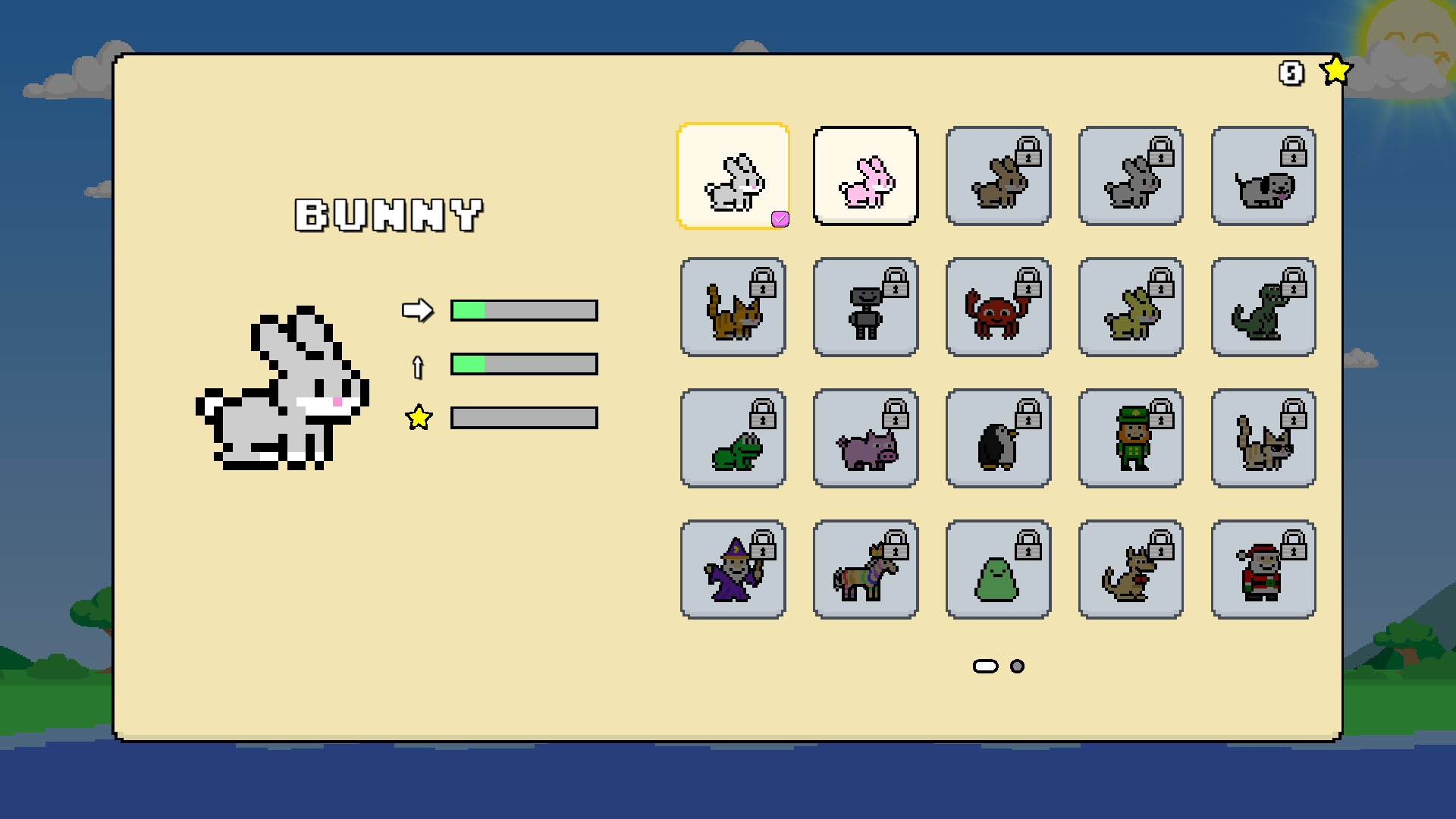
There is no single grid size that deserves to be stretched across every device. The layout code fits rows and columns to the usable area, preserving space for the details and readable tiles. Resize handling also has to preserve the browsed character, equipped character, page, and focus when the capacity changes. Otherwise, making the layout fit can leave the player somewhere else.
Spend the width, keep the jump
A television offers more space, but it is also farther away. Filling it with smaller controls would spend that space badly.
Bunny Hop uses a separate TV sizing profile for titles, labels, characters, and actions. Essential TV text and controls stay inside the intersection of the device’s safe area and a five-percent overscan margin. Landscape orientation alone does not activate that treatment; a wide touch screen still needs touch controls.
The game also separates the screen bounds from its established 320-unit gameplay lane. Scenery can extend across the television and menus can use its width, while jump geometry and obstacle timing keep their familiar scale. Making the menus more generous does not require making the gaps longer.
Even extra resolution needs that distinction. A 4K TV should not automatically pack in more character tiles than a 1080p TV with the same proportions. The layout works in logical content units, so more pixels can draw the same readable arrangement.
A big screen is not a GPU budget
The display’s size tells us little about the chip driving it. Phones and TVs both bring a range of GPUs, so the effects have to leave room for the game underneath. We covered those tradeoffs in the Android compatibility post; here, the relevant design constraint is keeping the jump readable when optional decoration needs a simpler rendering path.
The same idea runs through the interface. Keep the character, the next platform, and the consequence of a button press clear. Give a thumb a good target. Give a remote a good route. Let each screen use its space well enough that the player can get back to judging the gap.
Hold. Release. Hopefully, land.